
Qivora: Comic Reader
AxyTechComics
4.6224.00 Reviews
- Version
- 1.6.14
- Installs
- 1.00M
- Age Rating
- Mature 17+
Screenshots



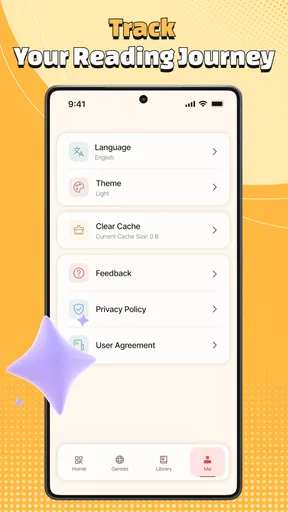
Our Review of Qivora: Comic Reader
 Analysis by Appyee
Qivora: Comic Reader is the kind of app I would suggest to someone who wants a straightforward place to read comics without turning the experience into a complicated project. Developed by AxyTech, it focuses on the essentials: keeping a library, remembering reading history, and offering tools that make pages easier to follow. That narrow focus is its biggest appeal. You are not greeted by a crowded entertainment hub or a maze of unrelated features; you can concentrate on organizing and reading your collection.
After spending time with it, my impression is that Qivora works best as a practical reading companion rather than a discovery service. It is free, available for Android devices running version 7.0 or later, and carries a Mature 17+ content rating. That age classification matters for families: I would not treat this as a general children’s comic app simply because the interface is simple. Adults and older readers are the natural audience.
The app has reached over a million installs and holds a 4.6 average from roughly thirty-four thousand ratings, which gives it a reassuring level of visibility among comic readers. Its current version is 1.6.12. Those figures do not replace personal testing, but they do suggest that Qivora has found an audience for its uncomplicated approach.
What to expect when you open Qivora
The first thing I noticed is how clearly the app’s purpose comes through. Qivora is built around reading rather than social interaction, publishing, or aggressive recommendations. The library gives you a central place to think about what you want to read next, while history helps you return to something you opened earlier. For me, that combination is more useful than it sounds, especially when I switch between several series or leave a comic halfway through.
A comic reader succeeds or fails on small moments. Can I find the title I was reading? Can I resume without remembering the exact page? Can I read comfortably when the original page is too small on a phone? Qivora’s design is aimed at those questions. It does not try to make the reading process feel like a game. Instead, it reduces the number of decisions between opening the app and getting back to a page.
That simplicity also sets a boundary. If you are looking for a large built-in catalog, a community of readers, editorial recommendations, or a storefront for discovering new comics, this is probably not the right type of app. Qivora makes more sense when you already have comics you want to read and need a clean way to manage that activity.
I also appreciate that the app is free to start using. For a reader testing a new workflow, that removes an important barrier. You can decide whether its library and history suit you before committing money. At the same time, “free” should not be confused with a complete replacement for every comic platform. Its value depends on whether you prefer a focused reader over a service centered on content discovery.
Who will get the most from it
I think Qivora is especially suitable for people who read in short sessions. If you have ten minutes on a commute, a lunch break, or before bed, the history feature gives you a practical way to return to the right place instead of searching through a collection. It is also a good fit for readers who dislike elaborate interfaces and want their library to remain the main screen in their mind.
It may also suit someone moving from physical books to digital reading. The basic mental model is familiar: keep your titles together, choose one, read, and come back later. You do not need to learn a complicated social system before enjoying a page. For a first-time user, that makes the path to a useful result pleasantly short.
I would be more cautious about recommending it to a reader who wants extensive organization controls or a highly specialized comic ecosystem. A dedicated alternative with stronger discovery, richer collection management, or a broader reading community may be better in that case. Qivora’s strength is focus, and focus always means leaving some possibilities out.
Getting through the first setup without overthinking it
My advice is to begin with one series or a small group of titles rather than trying to recreate your entire reading history immediately. The temptation with any library app is to spend the first session organizing everything. That can make the app feel like work before it has proved useful. With Qivora, I would add the comic I am most likely to read today, open it, and let the reading history begin doing its job.
The first meaningful success should be simple: open a comic, read a few pages, leave the app, and later use the library or history to return to it. That test tells you more than a long setup session. You learn whether the title is easy to locate, whether the reading tools feel comfortable, and whether the return path is clear enough for your habits.
One useful workflow is to treat the library as a “next reads” shelf rather than a complete archive. Keep the titles you genuinely expect to open soon near your attention, and use history for anything already in progress. This separation can prevent a large collection from becoming visually noisy. It is a small habit, but it makes a simple reader feel more deliberate.
If you are moving between genres or reading several ongoing series, history becomes more valuable than a carefully arranged library. I would avoid relying on memory for unfinished chapters. Read until a natural stopping point, close the app, and trust the recorded trail when you return. The practical gain is not dramatic during one session, but it becomes noticeable after several days of interrupted reading.
The first reading session
When I start a comic, I pay attention to whether the page feels comfortable before judging the whole app. Phone screens can make full comic pages awkward, particularly when lettering is small or panels are dense. Qivora includes reading tools intended to make the experience more manageable, so I recommend adjusting your approach early rather than forcing yourself through an uncomfortable page.
For a page with small text, I would first try the available reading controls instead of repeatedly pinching and dragging. The goal is to establish a rhythm: view enough of the page to understand the layout, then focus on details only when necessary. This matters because comics depend on panel order and visual composition. A tool that makes text readable but causes you to lose the page’s overall structure is not always an improvement.
That is one of the less obvious trade-offs of digital comics. Maximum enlargement is not automatically the best setting. I found it more useful to preserve the relationship between panels whenever possible and use closer viewing selectively. Readers who enjoy artwork and page composition may prefer the original page view, while readers with smaller screens may value a more focused reading mode. Qivora is most helpful when you choose the tool based on the page, not from habit.
Another practical tip is to test a few pages before importing or arranging more titles. Different comics can be laid out very differently. A tool that feels excellent on a spacious page may feel less natural on a page packed with narrow panels. Making that discovery early helps you decide whether Qivora matches the kinds of comics you actually read, rather than judging it from a single ideal example.
Common points of confusion for new readers
The word “library” can lead new users to expect a built-in comic store or an automatic catalog of available titles. I would approach Qivora differently: think of the library as your personal reading area. Its purpose is to help you handle the comics you want to read, not necessarily to replace every source from which those comics come. That distinction makes the app’s focused design easier to understand.
History is another feature that can be underestimated. Some readers see it as a duplicate of the library, but the two serve different purposes. The library answers, “What do I have available?” History answers, “What did I recently open?” If you keep several comics in progress, that difference can save time. I would use the library for planned reading and history for recovery after interruptions.
It is also easy to assume that reading tools should be left on one setting permanently. In practice, the best choice can change from page to page. A wide splash page may be enjoyable in full view, while a page with tiny dialogue may need closer attention. Switching modes when the artwork demands it is a better strategy than searching for one universal setting.
New users may also wonder whether a simple interface means the app is too limited. My view is more balanced. The reduced number of distractions is a real advantage for reading, but it means Qivora will not satisfy everyone. If your favorite part of a comic service is browsing recommendations, discussing chapters, or building elaborate metadata collections, you may find the experience intentionally restrained.
The Mature 17+ rating is worth keeping in mind when deciding who can use it. The interface may be approachable, but the age label is not a promise that every comic placed in your reading workflow is suitable for younger readers. I would use normal parental judgment and avoid handing it to a child simply because it is easy to navigate.
A realistic everyday example
Imagine that I have a few minutes before an appointment and want to continue a comic I started the previous evening. With a conventional file browser, I might need to remember the title, locate the right folder, and work out which page I reached. In Qivora, the useful sequence is shorter: open the app, check history, select the recent comic, and continue using the reading tools if the page needs adjustment.
Later that night, I might decide to begin a different title. I can find it through the library without losing the earlier series from view. The next day, history helps me choose between those unfinished reads. This is where the app earns its place: not through a flashy feature, but by reducing the small amount of mental bookkeeping that often interrupts casual reading.
For a more deliberate session, I would use the library to prepare a short queue for the week. I might place a long-form story, a lighter comic, and the title I am currently following in the same general reading space. That gives me options based on time and mood without needing a separate note or spreadsheet. The trade-off is that readers with very large collections may eventually want more detailed sorting than a focused reader provides.
How it compares with usual comic-reading alternatives
Compared with a general file viewer, Qivora feels more purposeful because library and history are designed around reading rather than merely opening files. A file viewer may be perfectly adequate for someone who reads one comic at a time, but it often leaves the reader responsible for remembering where everything is. Qivora is more appealing when continuity matters.
Compared with a large comic subscription or discovery service, Qivora takes the opposite position. Those platforms can be better for finding something new, following recommendations, or accessing a broad content ecosystem. Qivora is better suited to the reader who wants a personal reading tool and does not need the app to act as a magazine stand, social network, and store at once.
Compared with a highly customizable comic manager, Qivora is likely to feel lighter. That can be a benefit on a phone, where every extra menu adds friction, but it may disappoint collectors who enjoy tagging, extensive metadata, or elaborate sorting. I would choose Qivora when fast access and a calm reading flow matter more than catalog perfection.
The most important comparison is therefore not about which app has more features. It is about where you want the complexity to live. Qivora keeps the reading workflow simple. If you want the app to solve discovery, collection management, and community engagement too, another category of product will probably serve you better.
Small habits that improve the experience
My first recommendation is to make the library reflect near-term intentions. A shorter, useful shelf is easier to scan than an archive containing every title you have ever touched. If you want a complete record, keep that elsewhere and let Qivora remain the place where reading happens.
My second recommendation is to use history as a recovery tool, not just a record. When you stop reading unexpectedly, do not spend time creating a mental note of the page. Let the app’s recent activity guide your return. This is particularly helpful when you read during fragmented parts of the day.
My third recommendation is to protect the visual flow of a page. Use reading tools to solve a real problem—small lettering, awkward framing, or an uncomfortable view—but return to the broader page whenever the layout carries important storytelling information. That balance gives you readability without flattening the comic into a sequence of isolated details.
Finally, give the app a fair trial with the material you actually read. A comic reader can seem excellent with one layout and less convincing with another. Testing a mixture of page designs, short sessions, and interrupted sessions will reveal whether its tools and history fit your routine. This is more informative than simply opening the app once and judging its first screen.
My recommendation after using it
Qivora: Comic Reader is a sensible choice for someone who wants a free, focused comic-reading app with a library, reading history, and practical reading tools. AxyTech has kept the central journey easy to understand: find a title, read it, and return later without unnecessary ceremony. That makes it approachable for first-time users and convenient for people who read in short, irregular sessions.
I would recommend it to readers who already know what they want to read and value a clean personal workflow. I would also suggest it to anyone frustrated by losing track of unfinished comics across folders or apps. The combination of library and history is modest, but it addresses a real everyday problem.
I would skip it if your priority is a rich discovery catalog, social reading, or advanced collection administration. Those needs call for a more expansive alternative, even if that means accepting a busier interface. Qivora is not trying to be everything, and its limitations are closely connected to its calm, uncluttered character.
For a first-time user, the best next step is uncomplicated: install it on a compatible device, add one comic you genuinely want to read, complete a short reading session, then close and reopen the app to test the return path. If you can quickly find that title again and the reading tools make its pages comfortable, you have already reached the app’s main success case. In my experience, that is where Qivora makes the strongest argument for staying on your device.
My final take: Qivora is at its best when reading itself is the priority. It offers enough structure to keep a personal comic routine organized without burying that routine under extra layers. The free price and approachable workflow make it easy to try, while the focused feature set gives you a clear idea of who it is for. If that sounds like the way you read, I think it is worth giving a genuine test.
Privacy and Permissions
See what permissions an app requests and how it handles your data.
- Wi-Fi connection information
- view Wi-Fi connections
- Other
- view network connections, connect and disconnect from Wi-Fi, full network access, control vibration, prevent device from sleeping, Google Play license check
Verdict
Strengths of Qivora: Comic Reader
- Clean interface makes browsing comic collections quick and intuitive.
- Supports comfortable reading sessions with smooth page navigation.
- Useful library organization for keeping track of saved comics.
- Readable text and artwork on a range of mobile screen sizes.
- Convenient option for discovering comics in one dedicated app.
Limitations of Qivora: Comic Reader
- The catalog may be limited compared with larger comic platforms.
- Some titles or features may require an account to access.
- Reading availability can depend on regional licensing restrictions.
- Advanced customization options may be limited for experienced readers.
- Performance may vary on older devices or slower connections.
Similar Picks in This Category
View All
WEBTOON: Manga, Comics, Manhwa
NAVER WEBTOON4.6

MangaToon: Comic & Manga
MangaToon4.3

네이버 웹툰 - Naver Webtoon
NAVER WEBTOON4.3

Tapas – Comics and Novels
Tapas Entertainment Inc.4.2

Lezhin Comics - Daily Releases
LEZHIN ENTERTAINMENT3.3

WebComics - Webtoon & Manga
WEBCOMICS HOLDINGS HK LIMITED4.4
Frequently Asked Questions
What is Qivora: Comic Reader, and what can I use it for?
Qivora: Comic Reader is a mobile reading app designed for enjoying digital comics in a convenient format. It is intended for users who want to browse, open, and read comic content on an Android or iOS device rather than relying on printed issues. Before downloading, check the store listing to confirm the supported comic formats, available catalog, language options, and whether the app is suitable for your preferred type of comics or graphic novels.
Does Qivora: Comic Reader require an internet connection?
An internet connection may be needed for downloading comics, loading online content, synchronizing reading information, or displaying advertisements. Whether you can read titles completely offline depends on the app’s download and storage features. If offline reading is important to you, review the individual title options after installation and verify whether downloaded issues remain accessible without Wi-Fi or mobile data.
Can I import my own comic files into Qivora: Comic Reader?
The ability to import personal comics depends on the formats and file-management tools supported by the current version of Qivora: Comic Reader. Some comic readers accept common archive-based formats such as CBZ or CBR, while others focus mainly on content available through their own library. Check the official app description and permissions before downloading if you plan to read files stored on your device or transferred from cloud storage.
Is Qivora: Comic Reader free to download and use?
The application may be free to install, but some features, content, or reading options can vary depending on the developer’s business model. Possible limitations may include advertising, optional purchases, subscriptions, or charges for individual comics. We recommend checking the Google Play Store or Apple App Store listing for the current pricing details, in-app purchase information, and any restrictions that could affect regular reading.
Is Qivora: Comic Reader safe and suitable for children?
Before installing Qivora: Comic Reader, review its store rating, privacy information, requested permissions, and content policies. A comic-reading app may provide access to material with different age ratings, and the available catalog can change over time. Parents should use the platform’s parental controls, supervise downloads, and confirm whether the app includes content filters or account features appropriate for younger readers.
